Introduction
Building a successful SaaS (Software as a Service) product requires much more than developing a great idea. Startups must create an intuitive user experience, implement secure authentication, manage subscriptions, monitor analytics, handle customer support, and continuously release new features. While founders often focus on the customer-facing side of the product, the admin dashboard plays an equally important role in daily operations. It allows administrators to manage users, monitor platform performance, process payments, track business metrics, and maintain the overall health of the application.
Developing an admin dashboard entirely from scratch may seem like the ideal solution, but it often consumes a significant amount of time, money, and development resources. Every page, form, chart, notification, table, and permission system must be carefully designed, coded, tested, and maintained. For startups working with limited budgets and aggressive launch schedules, this approach can delay product releases and reduce the time available for building core features that truly differentiate the business.
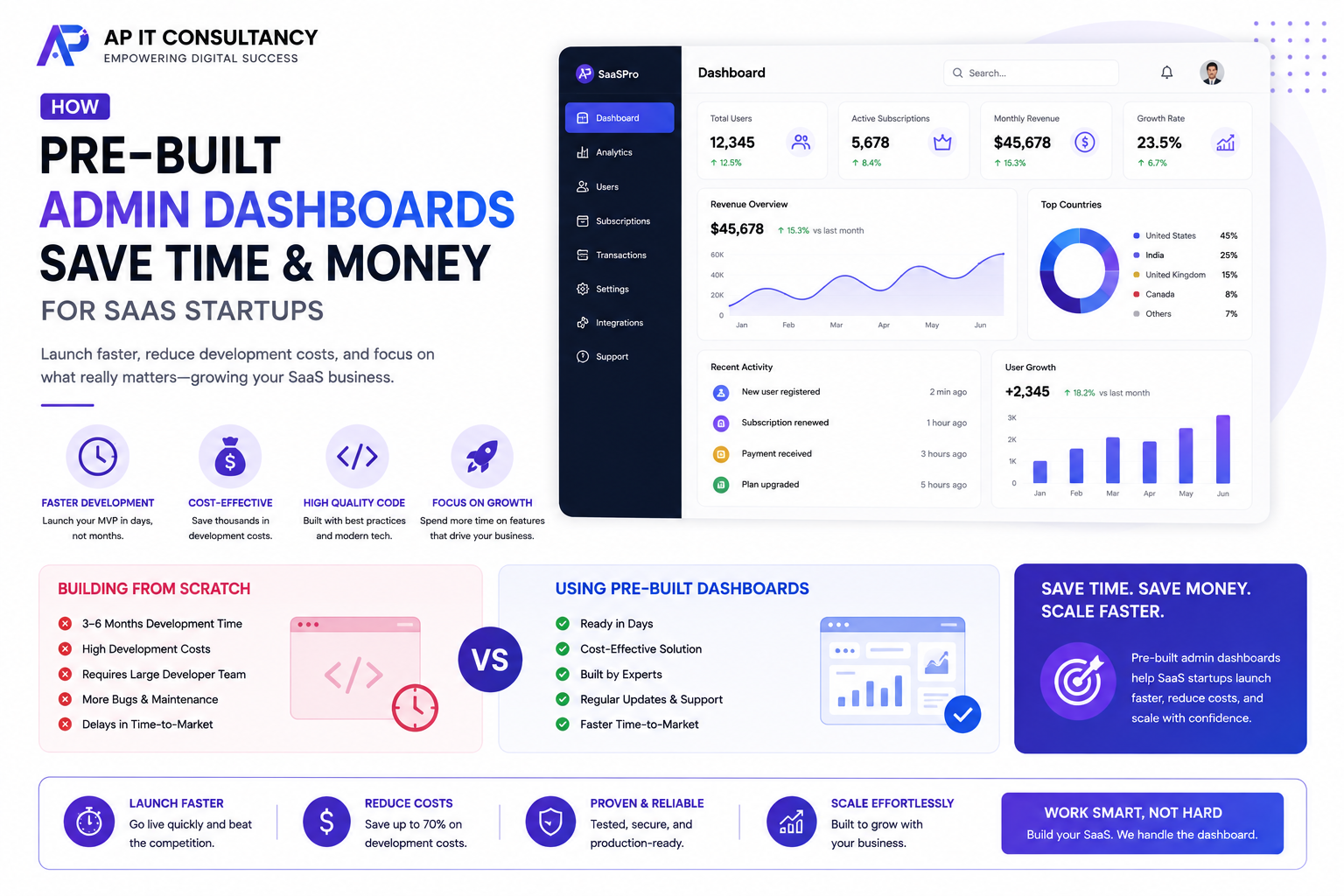
Pre-built admin dashboards solve this challenge by providing professionally designed interfaces with essential functionality already in place. Instead of spending weeks building common backend features, development teams can begin integrating business logic immediately. Modern admin templates include responsive layouts, authentication pages, user management systems, analytics dashboards, reusable UI components, and clean code structures that significantly accelerate development.
Whether you’re launching your first SaaS platform or expanding an existing application, using a pre-built admin dashboard can reduce development costs, shorten time-to-market, and provide a scalable foundation for future growth. This article explores the biggest advantages of pre-built admin dashboards and explains why they have become the preferred choice for modern SaaS startups.
What Is a Pre-Built Admin Dashboard?
A pre-built admin dashboard is a ready-to-use backend interface designed to manage web applications efficiently.
Instead of creating every screen manually, developers receive professionally designed layouts that include navigation menus, login pages, user profiles, dashboards, forms, tables, reports, charts, notifications, and settings pages.
Most admin dashboards are built using modern technologies such as HTML5, Bootstrap 5, Tailwind CSS, React, Vue, Angular, Laravel, or Next.js, making them easy to integrate into existing projects.
Rather than limiting customization, these templates provide a flexible starting point that developers can modify according to business requirements.
Faster Product Development
Speed is one of the most valuable competitive advantages for any startup.
The earlier a SaaS product reaches the market, the sooner businesses can gather customer feedback, validate product ideas, and begin generating recurring revenue.
Building an admin dashboard from scratch often delays product launches because developers spend valuable time recreating common interface elements.
Pre-built dashboards eliminate much of this repetitive work by providing essential pages and reusable components from the beginning.
Instead of developing login systems, navigation menus, profile pages, tables, charts, and settings screens, teams can focus on the unique features that make their software stand out.
Lower Development Costs
Custom development requires significant investment.
Designers create user interfaces, frontend developers implement layouts, backend developers connect business logic, and testers verify functionality before deployment.
These hours quickly increase project costs.
Pre-built dashboards reduce this expense because much of the design and frontend development has already been completed.
Startups can allocate their budget toward customer acquisition, marketing, product innovation, cloud infrastructure, and feature development rather than rebuilding standard administrative interfaces.
This efficient allocation of resources often provides a stronger return on investment.
Professional User Experience
A polished admin dashboard improves productivity for administrators, support teams, and business managers.
Modern dashboard templates follow established UI and UX principles with clean navigation, consistent spacing, readable typography, responsive layouts, and organized information architecture.
A professional interface allows users to locate important information quickly and complete tasks more efficiently.
It also creates a positive impression when demonstrating the product to investors, business partners, or enterprise clients.
Ready-Made Components Save Hundreds of Development Hours
One of the biggest advantages of pre-built admin dashboards is the extensive collection of reusable interface components.
Most templates include buttons, cards, modals, tables, charts, alerts, notifications, forms, calendars, search fields, dropdown menus, tabs, accordions, progress bars, pagination, and validation systems.
Because these components are already designed and tested, developers can assemble complex administrative pages much faster than building every element individually.
Reusable components also maintain consistent design throughout the application.
Built-In Authentication and User Management
Nearly every SaaS platform requires secure authentication.
Most premium admin dashboards include login pages, registration forms, password reset screens, profile management, user roles, and permission structures.
Developers can integrate these features with their backend systems instead of designing authentication interfaces from the ground up.
This significantly reduces implementation time while improving consistency across the application.
Responsive Design Across Every Device
Business owners and administrators increasingly access dashboards from tablets and smartphones.
Modern admin templates are fully responsive, allowing users to manage applications from virtually any device.
Navigation menus automatically adapt to smaller screens, data tables remain readable, and forms become touch-friendly without additional development effort.
Responsive dashboards improve flexibility while supporting remote work and mobile business management.
Easier Customization
Some developers assume pre-built templates limit creative freedom, but modern admin dashboards are highly customizable.
Layouts, typography, colors, branding, icons, sidebars, widgets, and page structures can all be modified to match a company’s visual identity.
Since the foundation is already established, developers spend less time creating infrastructure and more time tailoring the interface to specific business needs.
This combination of flexibility and efficiency makes pre-built dashboards ideal for startups.
Better Code Organization
Professional admin templates usually follow modern coding standards and organized project structures.
Reusable components, modular CSS, clean JavaScript architecture, and well-documented files improve maintainability.
New developers joining the project can understand the codebase more quickly, reducing onboarding time and improving collaboration.
Well-organized code also simplifies debugging and future feature development.
Scalability for Growing Businesses
Successful SaaS platforms continuously evolve.
As customer bases expand, businesses introduce additional features such as advanced analytics, subscription management, billing systems, team collaboration, API integrations, customer support modules, and reporting tools.
Pre-built dashboards are typically designed with modular architectures that allow developers to add new functionality without redesigning the entire interface.
This scalability protects development investments while supporting long-term growth.
Security Advantages
Security remains a top priority for SaaS businesses.
Many premium admin dashboards include secure authentication structures, role-based access controls, input validation, and coding practices that align with modern development standards.
Although backend security still depends on developers, starting with a professionally built frontend reduces the likelihood of common implementation mistakes.
Regular updates from dashboard developers also help maintain compatibility with modern frameworks and evolving security practices.
Choosing the Right Dashboard
Not every admin template is suitable for every SaaS application.
When evaluating dashboards, consider performance, responsiveness, code quality, framework compatibility, customization options, documentation, update frequency, and developer support.
Choose lightweight dashboards with clean architecture rather than feature-heavy templates containing unnecessary components.
A well-maintained dashboard provides better long-term value than one focused only on visual appearance.
Final Thoughts
For SaaS startups, every development decision affects both budget and time-to-market. Building a complete admin dashboard from scratch often delays product launches and consumes valuable resources that could be better invested in developing innovative features. Pre-built admin dashboards eliminate much of this repetitive work by providing professionally designed layouts, reusable components, responsive interfaces, authentication systems, and scalable architectures that accelerate development without sacrificing quality.
By adopting a modern pre-built dashboard, startups can launch faster, reduce development costs, improve internal productivity, and create a polished administration experience from day one. Combined with clean coding practices, strong security, and thoughtful customization, these dashboards provide a reliable foundation for building scalable SaaS applications capable of supporting long-term business growth and delivering exceptional value to both administrators and customers.